Rebuilding EBAYONET, a bayonet catalogue online since 2000
Dennis “Otto” Ottobre sells collectable bayonets and edged militaria, every piece photographed in hand and numbered. We moved his hand-coded site to WordPress with a custom theme and catalogue plugin, and gave collectors search, filters and a real page for every item.
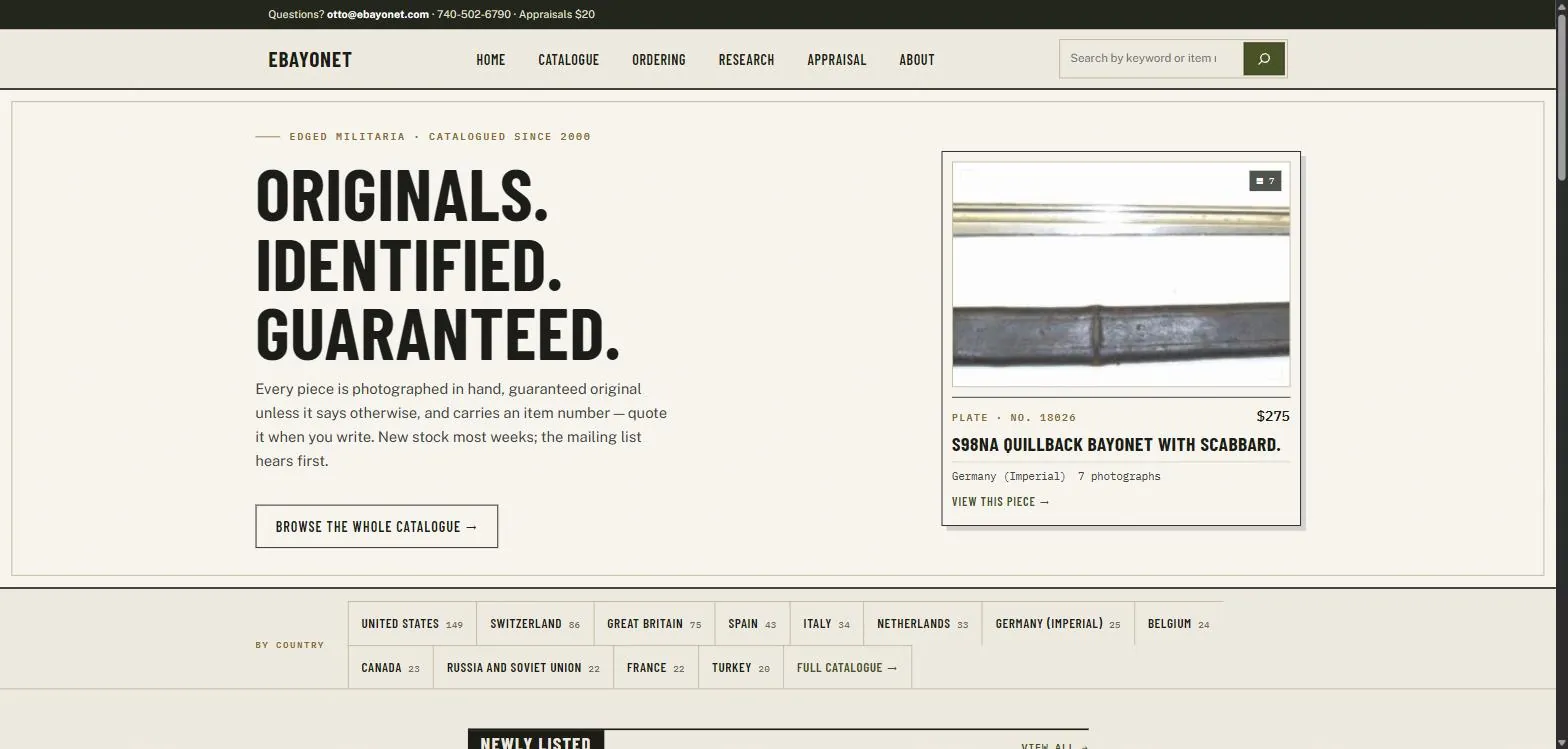

Great inventory, hard to find
Every piece Otto sells is photographed in hand and given an item number. Collectors quote that number when they write, and some have been doing it for twenty years.
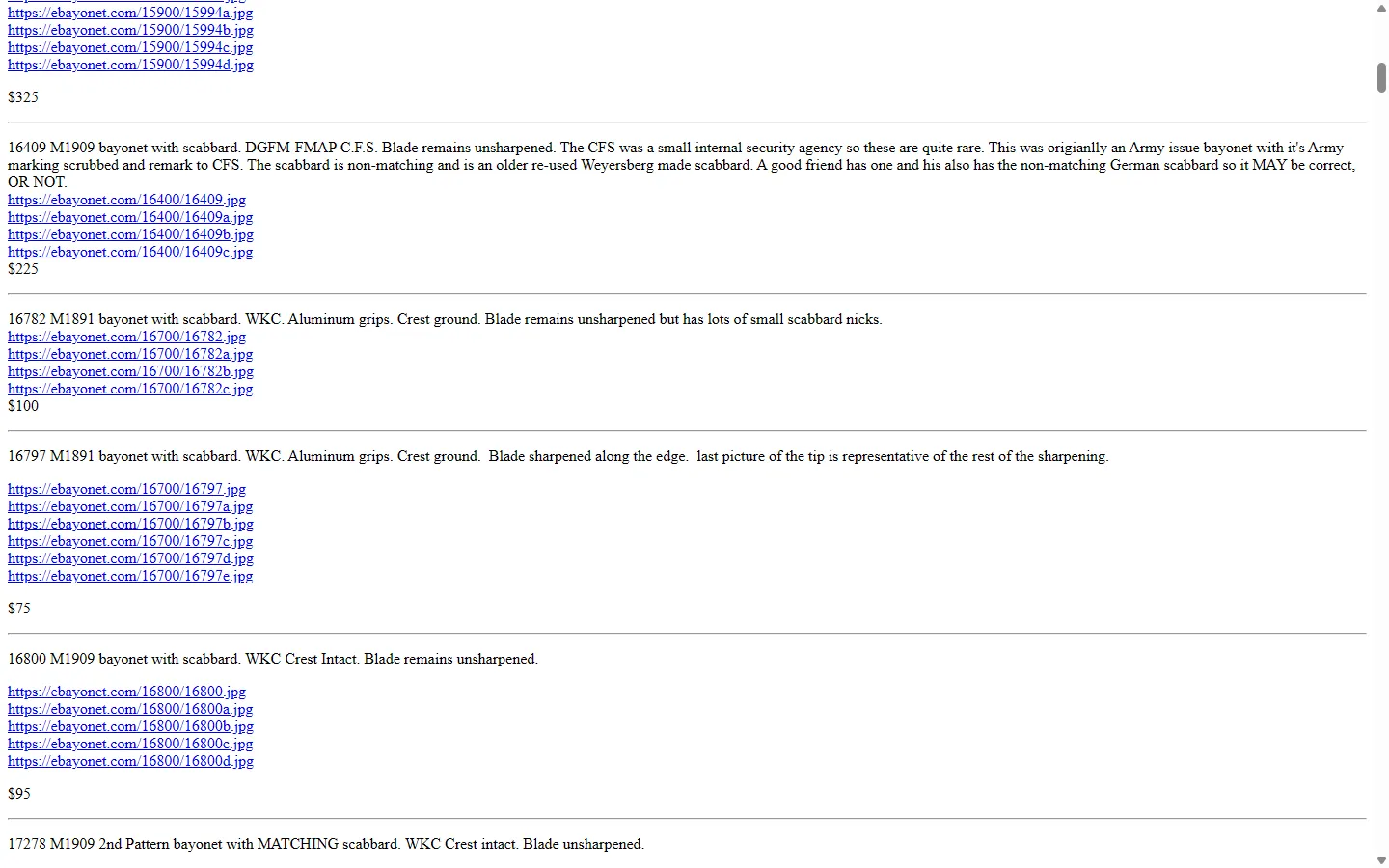
Getting to a piece was the hard part. The old hand-coded site split the catalogue into five alphabetical country pages. Each item was a paragraph of text, a list of raw photo links and a price. There was no search, no filtering, no page for a single item, and nothing that worked well on a phone.
What Otto asked for
Keep the domain, the item numbers and the photograph-everything policy. Move the whole catalogue. Break nothing.
Built around how Otto sells
Off-the-shelf shop software expects stock you can reorder. Otto sells one of each, by inquiry. So we built the site around the catalogue and the item number.
- A custom WordPress theme that works on phones, tablets and desktops
- A catalogue plugin that holds every item, photo, price and country, managed from the dashboard
- All 825 pieces migrated, each with its original item number
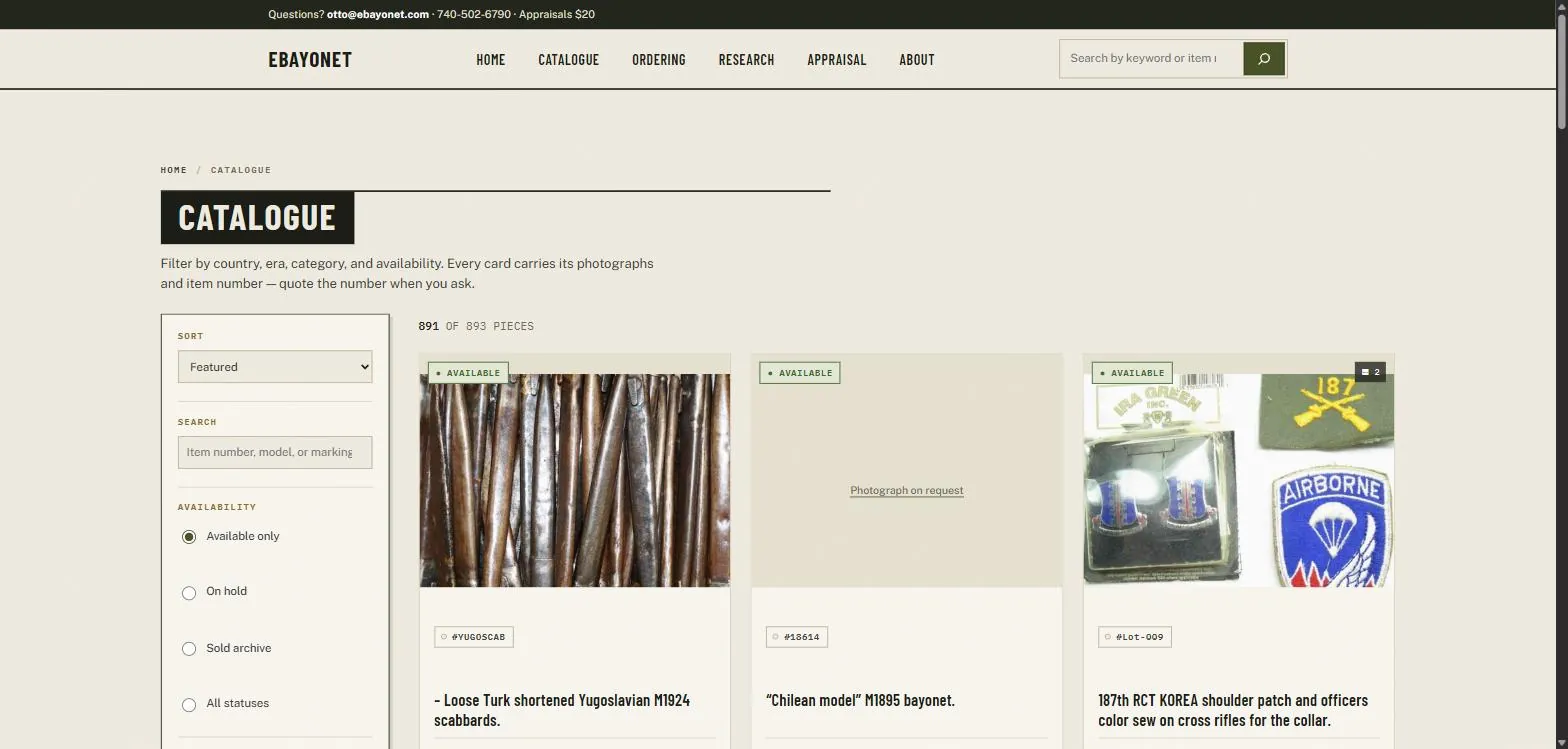
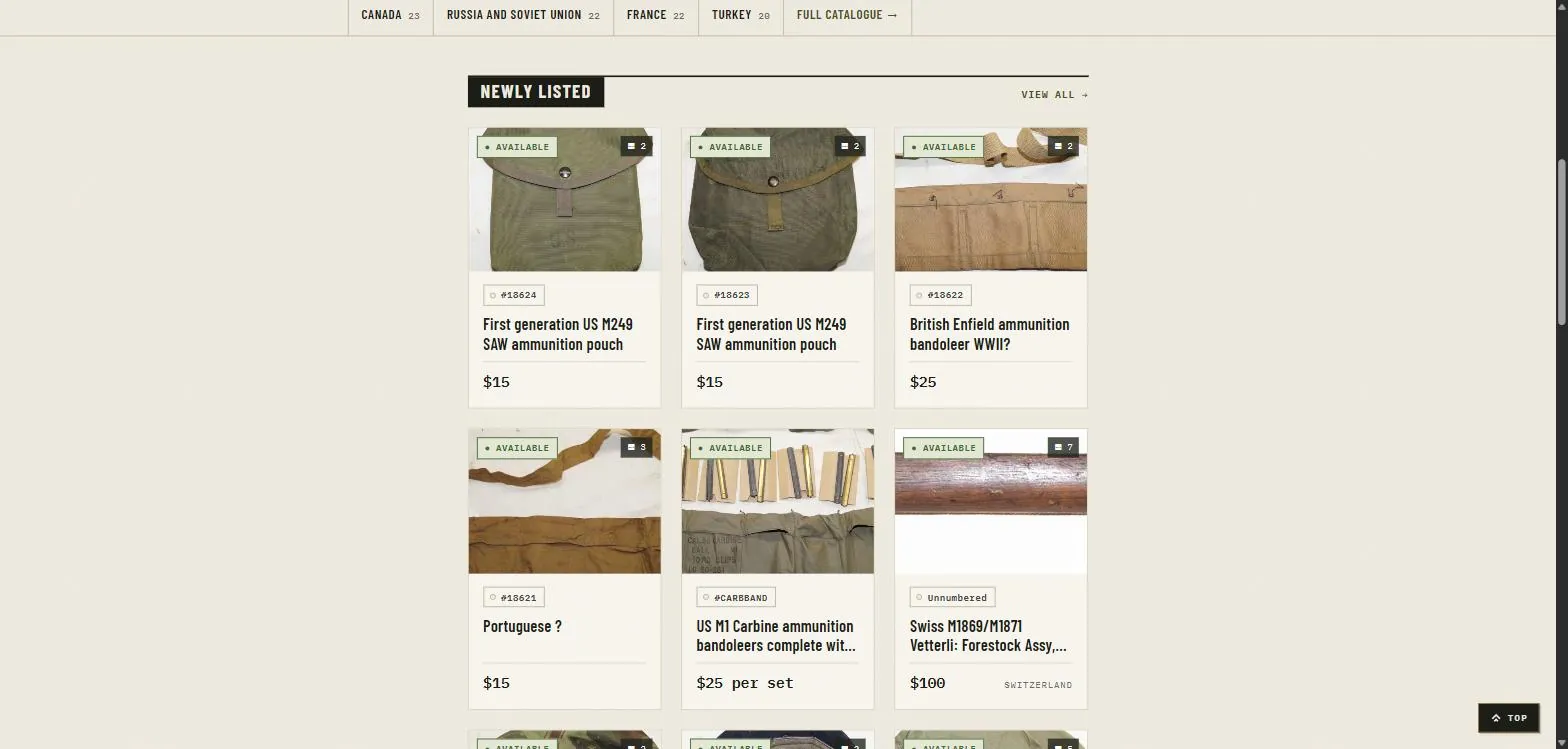
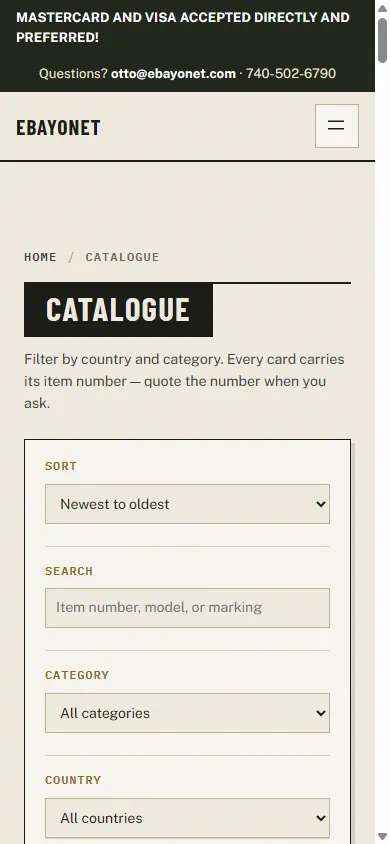
- Search by keyword, item number, model or marking, with category and country filters
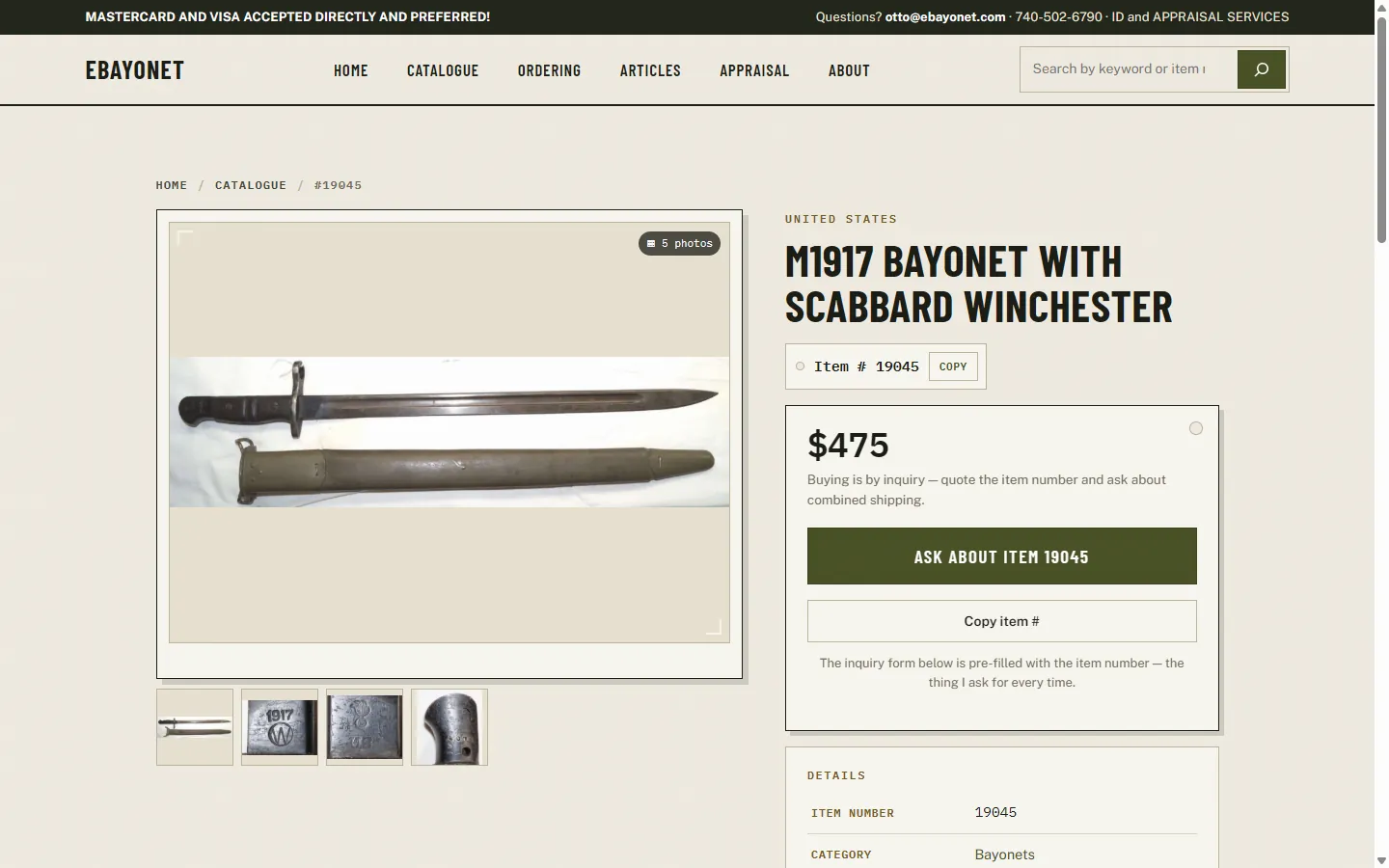
- A page for every piece, with a photo gallery and a button that copies the item number
- An inquiry form that fills in the item number, so every message says which piece it’s about
Around the new site
The catalogue, the new stock on the homepage, and the same catalogue on a phone.
What changed for collectors
And for Otto, who no longer edits HTML to add a bayonet.
More case studies
Have an older site doing the heavy lifting?
We rebuild established sites without breaking what already works: custom themes, purpose-built plugins and careful migrations onto a platform you can run yourself.